kaylee.stec
Ok I have updated ADMIN so you can now upload data that you collected back into the marketing DATABASE
Here are some details about valid codes to use, please make sure to use these code exactly when coding an entry.
https://adminblog.entourageyearbooks.com/2019/08/14/marketing-database-information/
Using env-stage.admin.entourageyearbooks.com for now (until the code is deployed – lauren knows what this means)
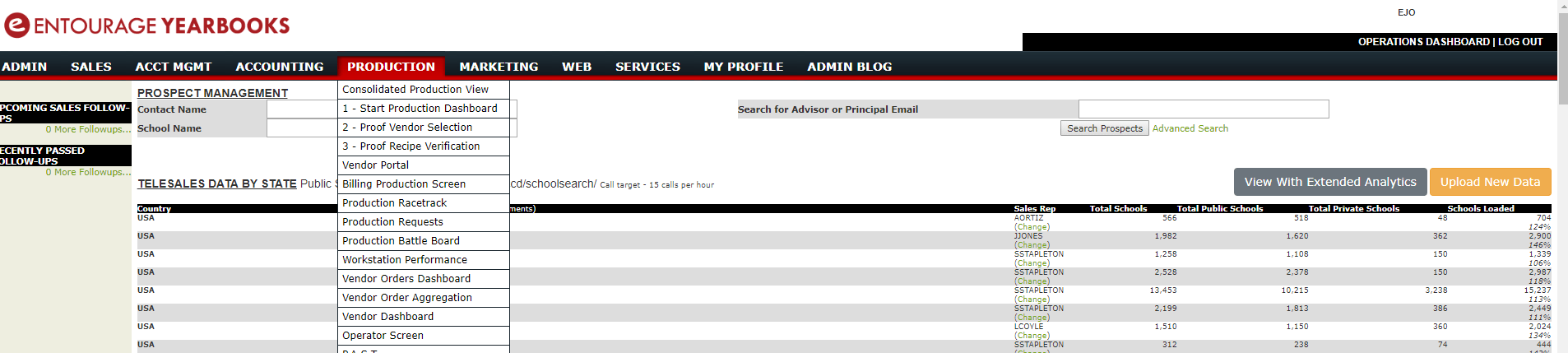
From ADMIN -> SALES -> TELESALES DASHBOARD
Click “Upload New Data”
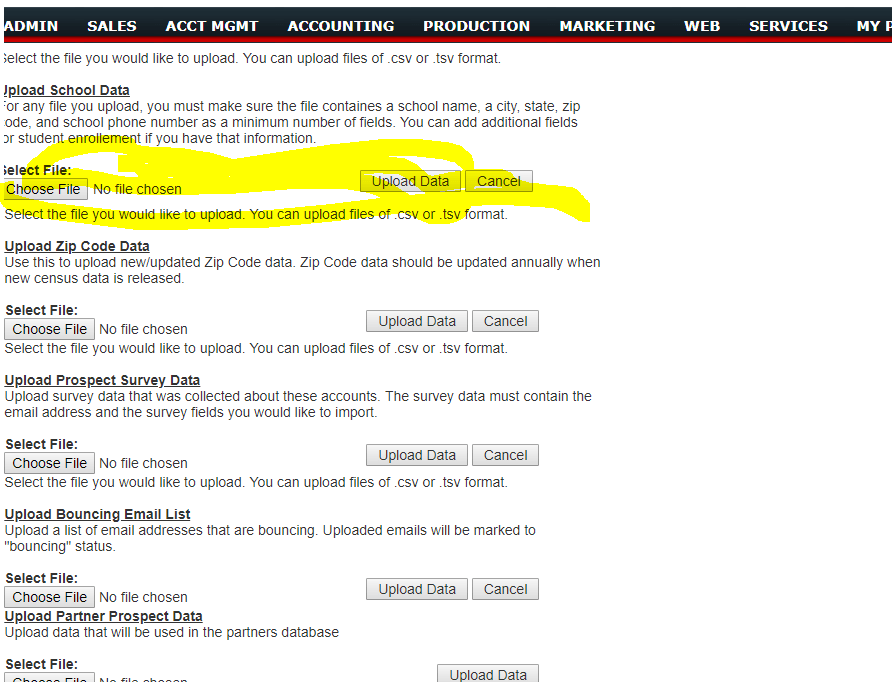
Use the First Upload Section
I recommend that you upload a TSV file instead of a CSV file.
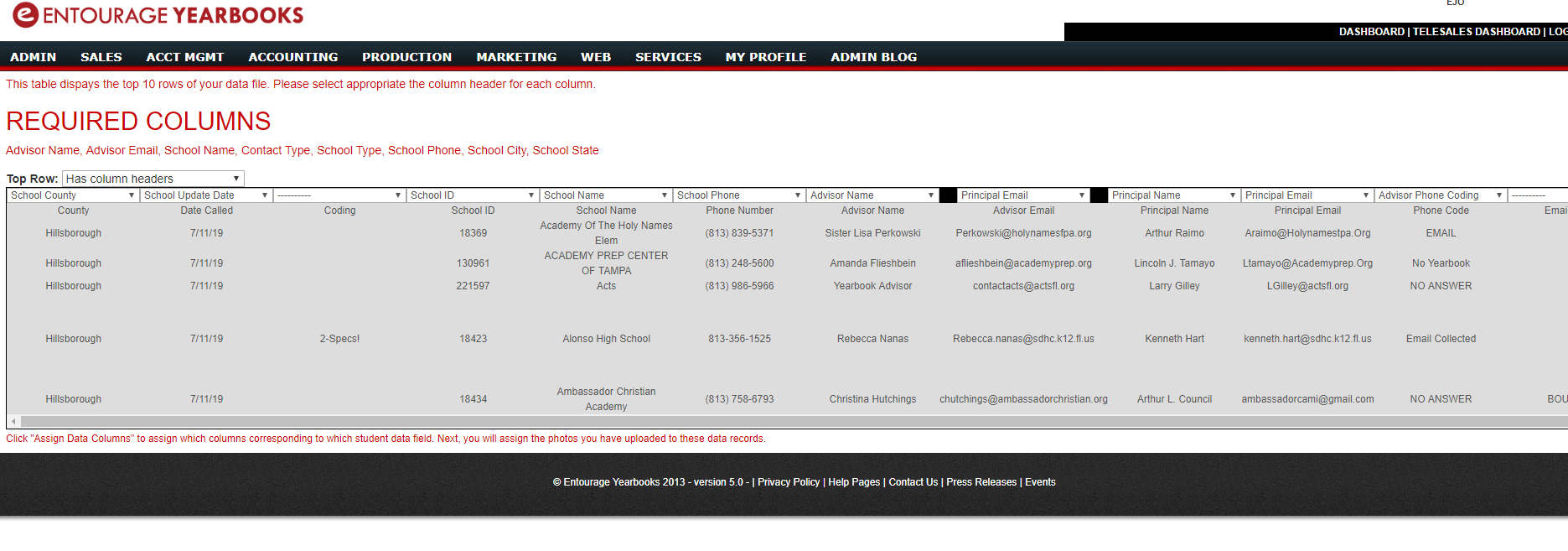
Next assign you column headers. MAKE SURE TO ASSIGN THE SCHOOL_ID FIELD – this is important so you don’t generate DUPLICATE RECORDS. Go slow here and set your columns properly. It’s a pain to undo a mistake.
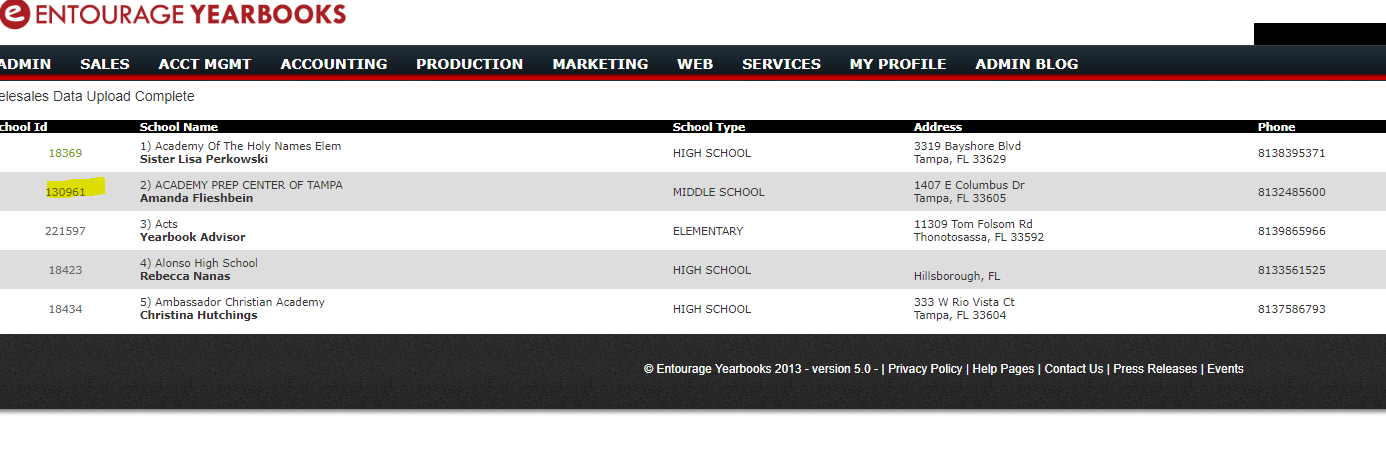
File will upload and update the marketing database
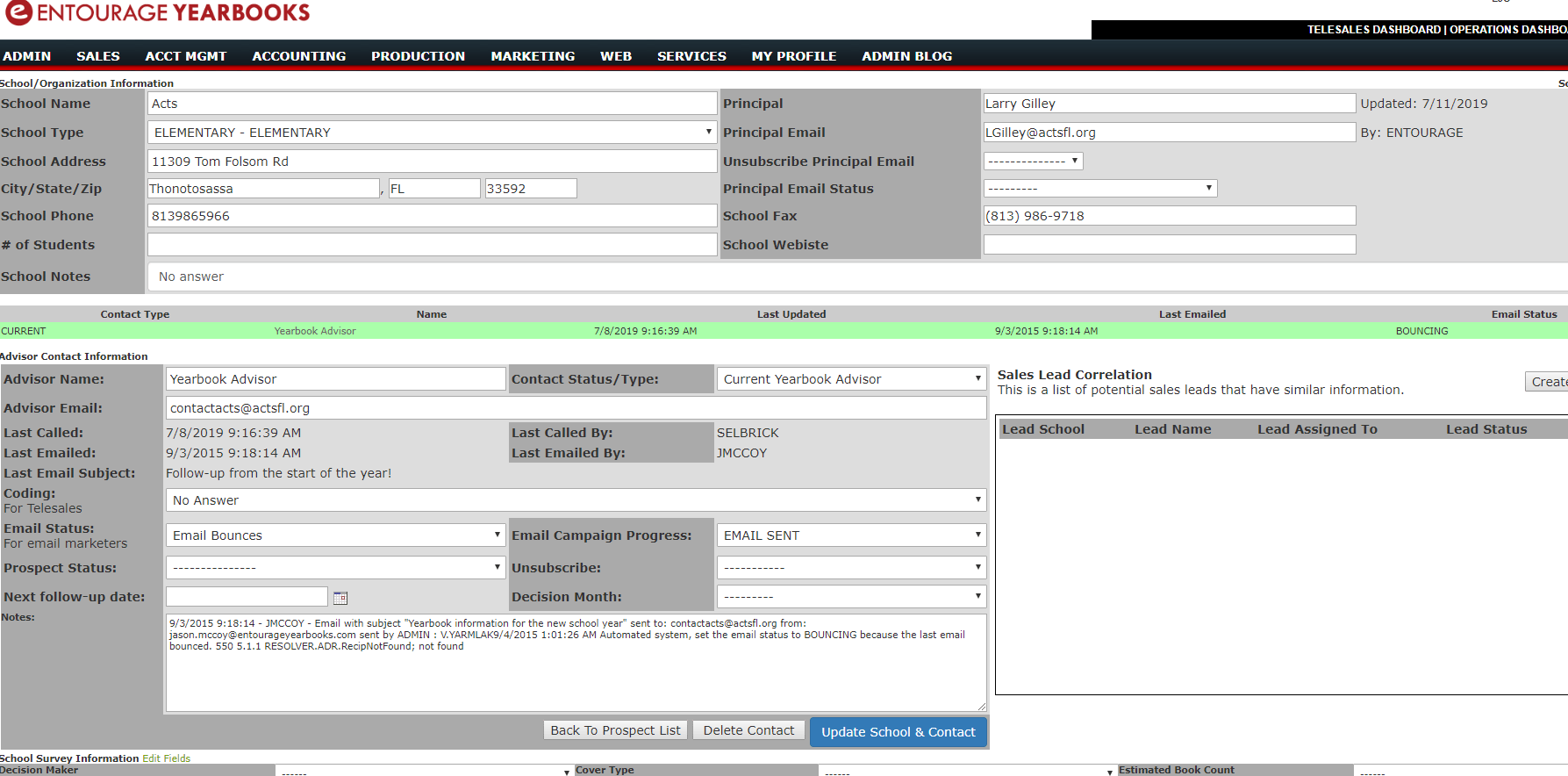
You can check you upload and verify that all the data went in properly by clicking on a school record.
If you set
ADVISOR_CODING – that should be set
The NOTES you put will goto to the SCHOOL NOTES field
Can you try uploading 1 file tomorrow, and let’s see how it goes. If you have any questions let me know.
Elias K. Jo
Entourage Yearbooks
39 Everett Drive
Princeton Junction, NJ 08550
Tel: 888-926-6571
Fax: 800-395-9120
http://www.EntourageYearbooks.com
Remember Everything…