kaylee.stec
Steps to revert Merges:
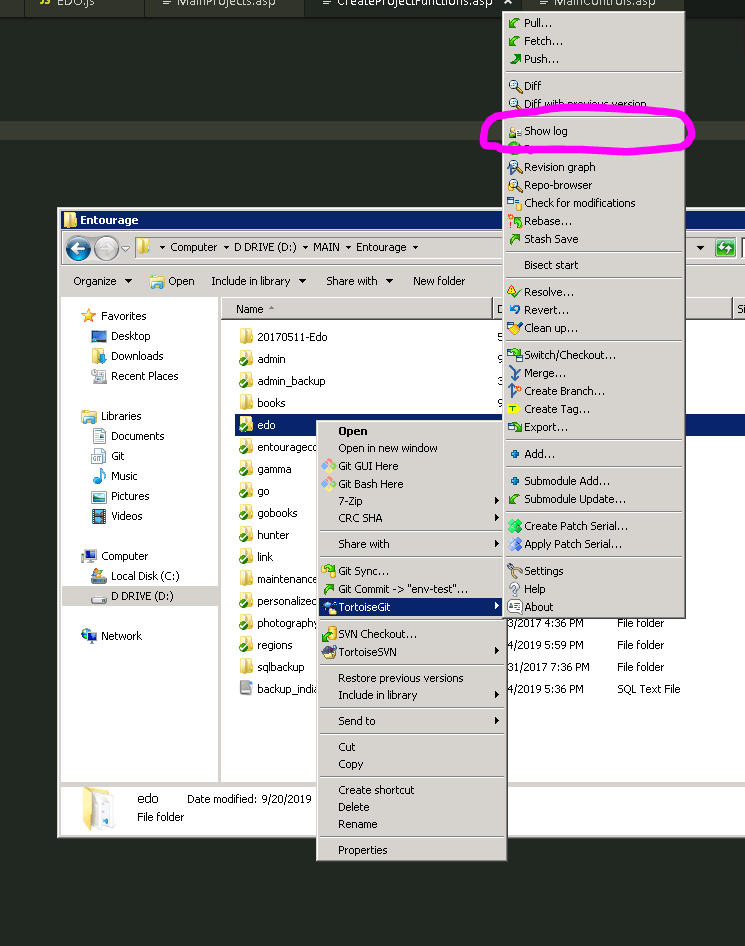
– Right Click on the folder of the branch you want to reverse.
– Then go to tortoiseGIT > Show Log
This will bring up the all the actions for that particular branch. Click on the action you would like to go back to it will show the files edited underneath. The right click and click reset "[THE BRANCH]" to this.
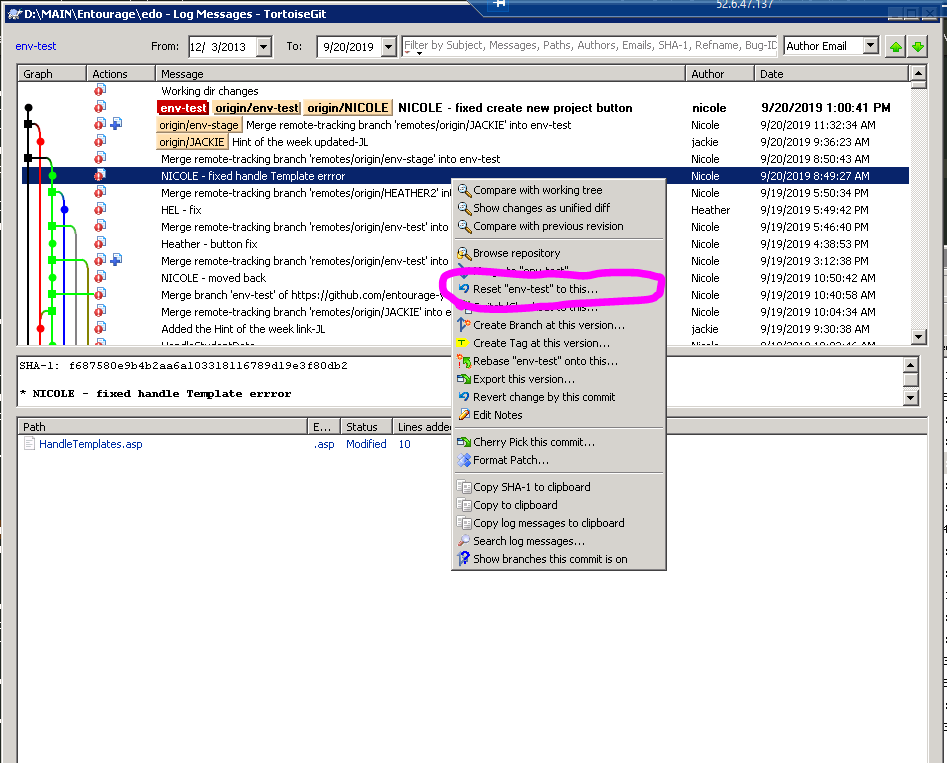
This will reset the branch to this.
Then you have to commit and push.
When you push you have to check the box to " Force Overwrite Existing Branch"
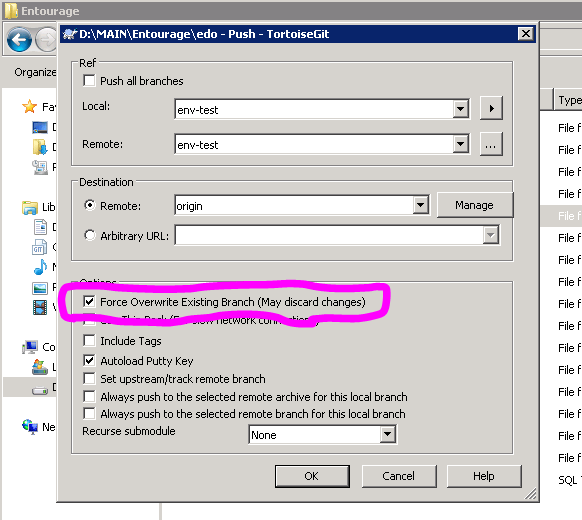
Then you will reset.
Do some testing to confirm 🙂